
Symmetry and System Design in Creative Coding
The Vector Mandala project is an exercise in mathematical art and interactive system design. By manually translating a static watercolor inspiration into over 1,000 lines of code, I built a responsive digital environment in which user movement dictates the piece's visual flow and symmetry.
Project Specifications
Role: Lead Creative Coder
Context: FMX 310: Creative Coding | University of Tampa
Tech Stack: HTML5 Canvas, JavaScript, Adobe Dreamweaver
Requirement: No external image assets; 100% code-generated visuals and interactions.
Vector Mandala
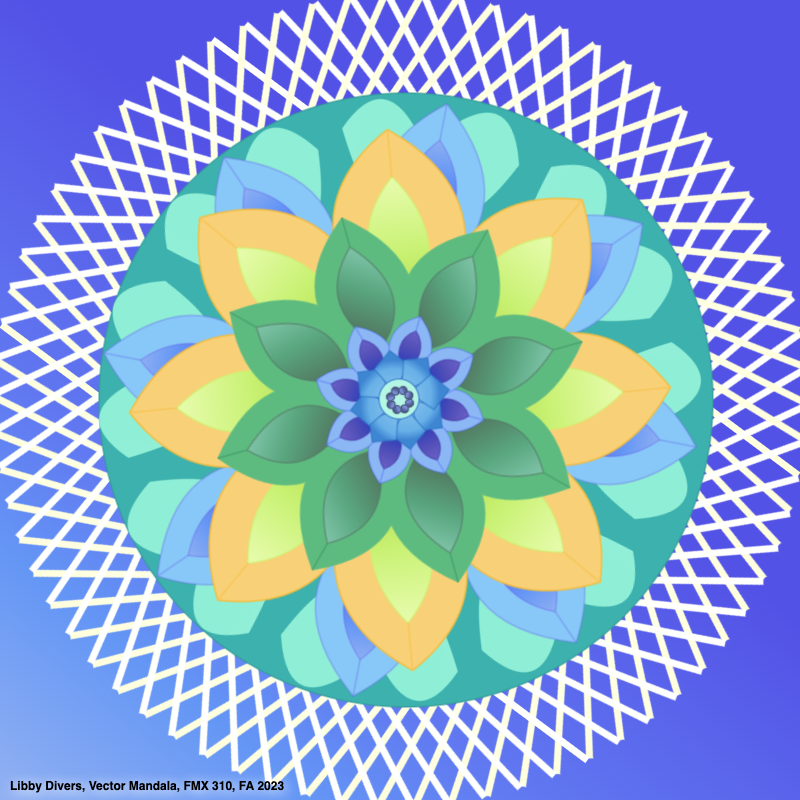
The Vision: Digital Fluidity
My goal was to replicate the soft, organic feel of a watercolor painting using the rigid, precise nature of vector code. I layered eight distinct levels of the mandala, focusing on how gradients and rotation could be used to simulate physical depth and movement in a 2D digital space.
Key Design Objectives:
Mathematical Symmetry: Implementing a rotation method to ensure all petals remained perfectly aligned while reacting to user input.
Organic Gradients: Coding "watercolor" effects that shift and blend as the user moves their mouse.
Complex Interactivity: Managing ten separate interactive elements, each housed on its own quadrant and canvas, within a single master interface.
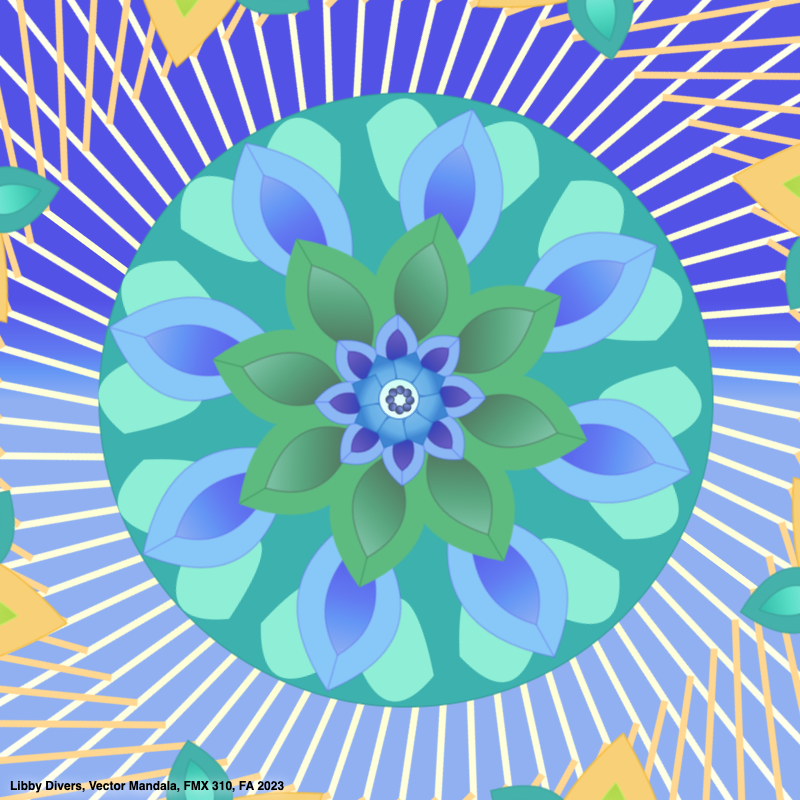
The Process: Integrating Art & Logic
This project required a deep understanding of how to bridge the gap between artistic intuition and technical execution:
Algorithmic Layering: I built the mandala from the center out, coding eight layers of petals and geometric shapes, each with its own set of properties.
Dynamic Backgrounds: I created two background layers of crossing lines that move in and out based on mouseX and mouseY coordinates, creating a seamless background for the main art piece.
Interactive Petals: I coded petals to detach and follow the user's mouse, challenging the mandala's traditional static nature and turning it into a playground.
Pure Code Workflow: By bypassing tools like Adobe Illustrator, I was forced to define every curve, color, and motion through raw JavaScript, ensuring total control over the interaction design.
Reflection: What I Learned
This project was a major milestone in combining the creative elements from the New Media major with the skills I learned through my Computer Science minor. It taught me how to take complex, multi-layered designs and break them down into manageable pieces of code. I really enjoyed the challenge of creating ten distinct interactive elements on a single screen without them overlapping. It showed me that coding is not just a technical tool, but also a way to breathe new life into traditional art forms by making them responsive to the viewer.
Looking Ahead: The Future of Interactive Art & Research
As I continue my Honors Thesis research on eye-tracking and user engagement, I want to explore how these types of complex, interactive visuals can be used to study human attention patterns. I plan to use the skills I learned here to build custom testing environments for my study, enabling me to track exactly how a user’s gaze moves across a shifting, colorful interface. My goal for the future is to combine this artistic coding with AI and machine learning to create interfaces that not only respond to mouse input, but also adapt to how a user is looking at the screen.